





Have you ever copied a link and found %20, %26, or a long string of percent signs inside it? That can look like a broken URL, but in many cases it is normal URL encoding. People searching for url encoder and decoder spellmistake are usually trying to find the SpellMistake URL tool, understand what those codes mean, or fix a link that stopped working after encoding. The process matters to developers, marketers, SEO users, students, and anyone working with query strings or tracking links. SpellMistake currently provides a URL Encoder / Decoder that converts text or URLs into encoded form and reverses encoded text into readable form. This guide explains how it works, when to encode or decode, and how to avoid mistakes that cause broken links.
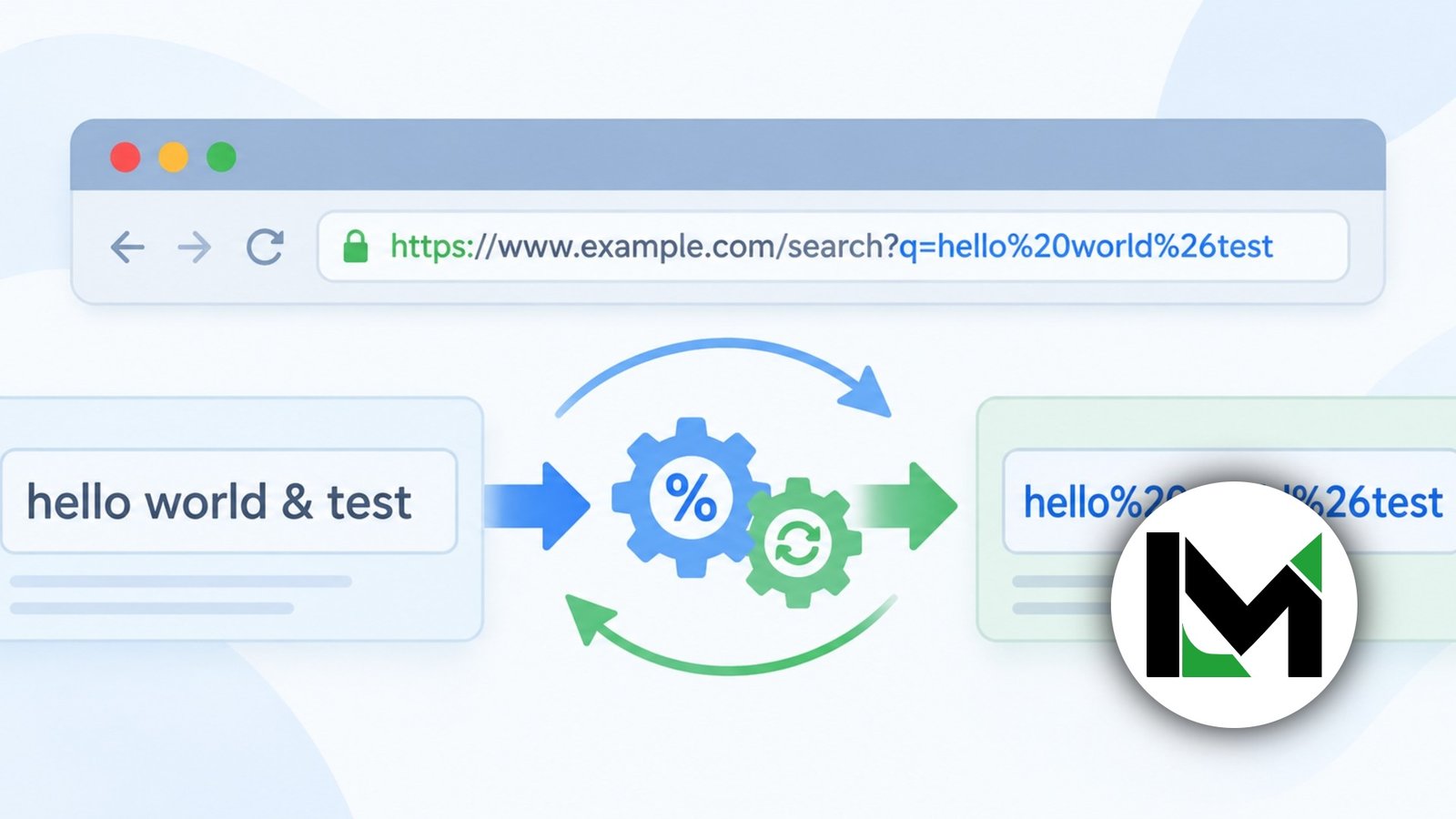
A url encoder and decoder spellmistake tool converts characters that may have special meaning in a URL into percent-encoded values, then reverses those values when decoding. For example, a space can become %20, while %26 represents an ampersand. The goal is safe, predictable handling of URL data, not encryption.
What URL Encoder and Decoder SpellMistake Means
SpellMistake is the name of a site with a free URL Encoder / Decoder page, so this keyword is best understood as a search for that tool rather than a formal technical phrase. Its page lets users enter text and choose whether to encode or decode it.
Technically, URL encoding is called percent-encoding. RFC 3986 defines an encoded byte as % followed by two hexadecimal digits. Reserved characters such as ?, #, &, /, and = can have structural meaning inside a URI, so whether they should be encoded depends on where they appear.
How URL Encoding and Decoding Work
A url encoder replaces characters that need escaping with percent-prefixed hexadecimal sequences. A decoder reverses the process. MDN lists common examples such as # becoming %23, & becoming %26, and @ becoming %40.
Take the value red shoes & bags. As one query parameter value, it may become red%20shoes%20%26%20bags. Decoding restores the readable text. In form-style data, however, a space can appear as +; MDN notes that URLSearchParams uses this behavior when serializing search parameters.
Full URL vs URL Component
A complete URL and one value inside it should not always be encoded the same way. JavaScript’s encodeURIComponent() escapes more characters than encodeURI() because it is meant for components such as query values.
| Task | Safer approach | Typical use |
|---|---|---|
| Encode a query value | Encode the component | Search or redirect value |
| Keep URL structure | Preserve delimiters | Full web address |
| Read percent codes | Decode the component | Debugging links |
| Handle form data | Account for + | Search parameters |
How to Use the SpellMistake URL Encoder Step by Step
The url encoder spellmistake page describes an input area, Encode and Decode controls, an output area, and a copy function.
- Open the SpellMistake URL Encoder / Decoder page.
- Paste the text, URL component, or encoded string.
- Choose Encode for URL-safe output or Decode for readable text.
- Check the result before using it in a live link, redirect, form, or API request.
- Copy the output and test the final URL in its real context.
If your parameter is summer sale & shoes, encode the parameter value rather than blindly encoding the entire address. This keeps URL structure intact while protecting the ampersand that belongs to the data.
Common URL Encoder SpellMistake Errors
Double encoding is a frequent problem. If %20 is encoded again, the percent sign can become %25, producing %2520. Another mistake is decoding too early. RFC 3986 warns that components should normally be separated before decoding because a restored reserved character may be mistaken for a delimiter.
Users also confuse %20 with +. Both may represent spaces in particular contexts, but + is especially associated with form-style data. Invalid sequences are another problem: JavaScript’s decodeURIComponent() throws an error when % is not followed by two hexadecimal digits or the sequence is not valid UTF-8.
SpellMistake vs UploadArticle.com URL Encoder Searches
The secondary phrase url encoder and decoder uploadarticle.com appears in current search results, but it should not be treated as another name for SpellMistake. Search results show separate pages discussing UploadArticle.com URL utilities, while SpellMistake has its own URL Encoder / Decoder page.
The standard matters more than the brand. A reliable url encoder decoder should produce predictable percent-encoding, clearly separate encoding from decoding, and never suggest that encoded data is secret. Before pasting sensitive URLs containing tokens or private identifiers into any third-party tool, check how that service handles input.
When a URL Encoder Is Useful
A url encoder is useful when data contains spaces, ampersands, hash signs, non-English characters, or symbols that could be confused with URL syntax. Common cases include search parameters, API calls, redirect URLs, UTM values, form data, and dynamic links.

SEO users may decode tracking URLs to inspect parameters, while developers may decode logs or redirects to find a bad value. A simple test is to encode a known component, use it in the intended location, then decode it and confirm that the original data returns exactly. If it does not, check for double encoding or the wrong encoding context.
Frequently Asked Questions
What is URL encoding?
URL encoding, also called percent-encoding, represents certain characters using a percent sign followed by hexadecimal digits. It is used when characters are not allowed directly or could be confused with URL syntax. For example, a space can be represented as %20, while an ampersand used as data can become %26.
What is a URL encoder and decoder?
A URL encoder converts text or URL components into percent-encoded form, while a decoder converts those sequences back into readable characters. The two functions are useful for building query strings, checking redirects, debugging API requests, and understanding encoded links without manually converting hexadecimal values.
What does %20 mean in a URL?
%20 represents a space character in percent-encoding. RFC 3986 uses it as the standard example of an encoded space. In form-style query data, spaces may instead appear as +, so the correct interpretation depends on how the URL or form data was created.
Which characters should be encoded in a URL?
Letters, digits, hyphen, period, underscore, and tilde are unreserved in RFC 3986. Reserved characters such as ?, #, &, =, and / may need encoding when they are data rather than structural delimiters. The right choice therefore depends on the URL component you are building.
Is URL encoding the same as encryption?
No. URL encoding changes how characters are represented so they can travel safely in a URL. It is reversible and provides no confidentiality. Encryption is designed to protect information from unauthorized reading. Never assume an API key, password, token, or personal value is protected simply because it is percent-encoded.
How do I decode an encoded URL?
Identify the component you want to inspect, then use a URL decoder or a programming function such as decodeURIComponent() for an encoded component. Avoid decoding an entire URL without considering its structure, because restored reserved characters can change how the URL is parsed or interpreted.
What is the difference between encodeURI and encodeURIComponent?
In JavaScript, encodeURI() is intended for a URI and preserves more syntax characters, while encodeURIComponent() escapes a broader set and is better suited to individual values placed inside a URL. Using the component version helps prevent data such as & from being mistaken for URL structure.
Conclusion
The url encoder and decoder spellmistake search is mainly about understanding and using SpellMistake’s URL conversion tool correctly. The core technology is percent-encoding: characters that may be unsafe or meaningful in a URL are represented with percent-prefixed hexadecimal values, and decoding reverses the process. The most important habit is knowing what you are encoding. A full URL, query value, path segment, and form parameter do not always follow the same practical rules. Avoid double encoding, remember that + and %20 can behave differently by context, and never confuse encoding with security. When a link looks broken or unreadable, test one component at a time, compare the decoded result with the original, and use a trusted encoder or decoder to verify the output before publishing.
More From Our Editorial Team: Who Is Tommy Gooding? All About Cuba Gooding Jr.’s Older Half-Brother